

We help businesses across Orlando, Tampa, and Lakeland-Winter Haven get expert managed IT services with security built in, from a team that knows you by name.



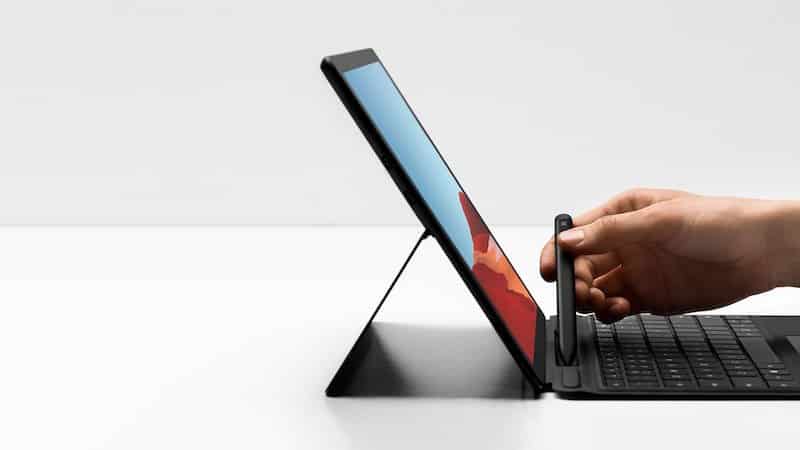
The Microsoft Surface family of products covers a wide range of tablets, laptops, desktops, and even digital whiteboard devices. This has led to some confusion regarding what a Surface device is and what it can do.
A common question is "What's the difference between Microsoft Surface and Surface Laptops?" The answer depends on which Microsoft Surface device you're talking about. Another common question is "Which is better when you compare Surface Pro vs Laptops?" The answer to this question may vary depending on what your needs are.
To help you out, here's a quick comparison between Microsoft Surface Pro and Microsoft Surface Laptop devices:
For the sake of brevity, we will be comparing the base models of the newest Surface Pro and Surface Laptop devices: Surface Pro X, Surface Pro 7, and Surface Laptop 3 using data available on the Microsoft Store, retrieved February, 2020.
Wait! Before you make any decision its important to know that Surface devices come in two flavors Surface and Surface for Business.
The "for Business" tagline means Surface devices with additional features.
If you are using your Surface in a business, I recommend reading this article first.
One of the first things that every business needs to know about the equipment they plan to invest in is how much that equipment costs.
At the time of this writing, the latest Surface Pro and Surface Laptop for Business devices have a base cost of:
This brings the base cost of these Surface devices in line with what you would expect from some high-end smartphones. As the least expensive item at base price, the Surface Pro wins in this category (though by a narrow margin). It should be noted that any additional features, services, and accessories/upgrades will affect the final cost of a Surface device.
However, cost isn't always the best criteria to use for choosing a productivity tool. There are many other factors to consider that may prove to be far more important when choosing a productivity tool for your business.
One of the defining features of any device is its form factor. The size, shape, and weight of a device all impact how people will perceive and use the device.
Here's a quick comparison of the form factors for the latest Surface Pro vs Surface Laptop devices:
Surface Pro X
Surface Pro 7
Surface Laptop 3
Predictably, the Surface Laptop is the largest of the three devices, weighing about twice as much as the Surface Pro (depending on whether you get the smaller or larger laptop screen). This makes the Surface laptop less comfortable to pull out and hold in public settings like on the bus during the commute to work.
However, on the plus side, the bigger screen gives employees more visual "real estate" to work with when designing on a Surface Laptop vs Surface Pro devices. This makes graphic design easier, and can be useful for enlarging type on the screen so it is easier to read.
Additionally, some employees may find that they prefer a dedicated laptop with a larger keyboard to a slightly smaller tablet with a removable keyboard—or vice versa. The smaller form factor and lighter weight of the Surface Pro vs Surface Laptop 3 makes it easier to carry on the go. So, some employees who are constantly working in the field or who travel a lot for work may appreciate the Pro more than the Laptop.
Whether you choose the Surface Pro or Laptop, you're going to have access to a lot of handy collaboration features. Every device in the Surface line is designed with Microsoft Teams and Office in mind—so you can expect them all to work well with these important team collaboration tools.
Additionally, all three of the devices being compared here have cameras and microphones for capturing live video and conducting video conferences. Here, the Surface Pro devices (X and 7) have a slight edge in camera quality over the Surface Laptop 3. Where the Microsoft laptop has a forward-facing camera that captures 720p HD video, the Surface Pro X and Pro 7 both have a front-facing camera that captures 1080p HD video. The Surface Pro 7 also has a rear-facing 8.0 MP camera, while the Pro X has a 10.0 MP rear-facing camera—the laptop only has the single, front-facing camera.
Combined with the portability of the Surface Pro, these rear-facing cameras make Surface Pro devices more ideal for employees who need to capture high-resolution images while on the job.
For example, site surveyors and safety inspectors who need to document photographic evidence for their reports would likely prefer the Surface Pro to the Surface Laptop for this reason.
Aside from the camera, another important collaboration feature is the ability to connect to the internet so other web-based collaboration tools can be put to use in the first place. Of the three Surface devices being compared here, the Surface Pro X is the best at this out of the box. Why? Because it has LTE Advanced connectivity as a base feature.
Neither the Surface Pro 7 nor the Surface Laptop 3 offer LTE connectivity in their base models. So, if your office uses a lot of online collaboration apps, and your workers frequently work where they might not have easy Wi-Fi access, the Surface Pro X may be your best option for ensuring collaboration.
Another key metric that many computing devices get judged on is their processing power—which is basically a measure of how much information they can process per second. This can be a complicated subject because there are many different kinds of processors on the market, and they behave in different ways. Some of the key terms to know about a central processing unit (CPU) include:
There are more terms to know about CPUs, but these ones are usually what most people look at in casual comparisons.
In addition to a CPU, some computers may have a dedicated graphics processor (GPU). This is a secondary processor that is used to process images. This extra processor helps lighten the load on the CPU by handling graphics for it. This is a common feature of gaming PCs and computers intended for use in graphic design roles.
Another factor that affects the efficiency of a computer is its random access memory (RAM). RAM is a kind of temporary storage that a computer uses to hold onto whatever data it is currently working on to accomplish a task. More RAM allows computers to hold on to more data at once, allowing the processor to handle bigger files without having to repeatedly tap into the computer's long-term storage (i.e. the hard drive).
So, between the Surface Pro X, Surface Pro 7, and Laptop 3, which computer has the best processing power?
In this evaluation, the Surface Pro X has the strongest base stats, having an eight-core processor with a 3GHz clock speed. However, the Intel® processors in the Pro 7 and the Laptop 3 have more cache, and can be turbo-boosted for a higher clock speed.
For basic Office productivity programs, like Word or Excel, the difference between these CPUs will barely be noticeable to users unless they're working with truly massive files. Processor power might matter more to power users, such as graphic designers or system admins who have to manage massive data tables—though these users may prefer something like the Surface Studio unless they're expected to frequently work from outside the office.
While the advent of cloud applications and storage make it more convenient than ever to store important files online, there are occasions where users will need to install a local copy of a program or download a file to their device so they can work on it offline.
Most of the long-term storage drive options for the Surface Pro X, Surface Pro 7, and Surface Laptop 3 are very similar. All three use solid-state drives (SSDs). However, the capacities of these drives vary. While the Surface Pro 7 and Laptop 3 each have four SSD options (128GB, 256GB, 512GB, and 1TB), the Pro X only has three (128GB, 256GB, and 512GB).
The other key memory spec to keep in mind is the computer's short-term storage (a.k.a. RAM):
For both short- and long-term memory, the Surface Laptop 3 has the best specs—though both Pro models are pretty good too.
So, which Microsoft Surface device is right for you? Once again, the answer depends on what you're looking for in your productivity tool.
If portability and connectivity on the go are your paramount concerns, then the Surface Pro X is probably your best option. The built-in cameras and LTE connectivity of this device, combined with its light weight and form factor, make it the king of mobile work environments.
Meanwhile, if you need more processor power and a bigger screen for working with Photoshop or other design software, but still want to be able to pack up your computer and take it with you wherever you go, the Surface Laptop 3 may provide the biggest bang for your buck.
Traditionally, building and customizing every individual's devices from configuring Windows, installing applications, and updates is a painstaking and time-consuming process.
It takes a lot of time building and customizing individual devices.
Here is a strategy to help you deploy, reset, and re-purpose devices. So it will make it easy for end-users to set up on new devices, without any involvement.
When you purchase new devices, your employees receive the devices ready to go, just by signing in.
We help businesses across Orlando, Tampa, and Lakeland-Winter Haven get expert managed IT services with security built in, from a team that knows you by name.