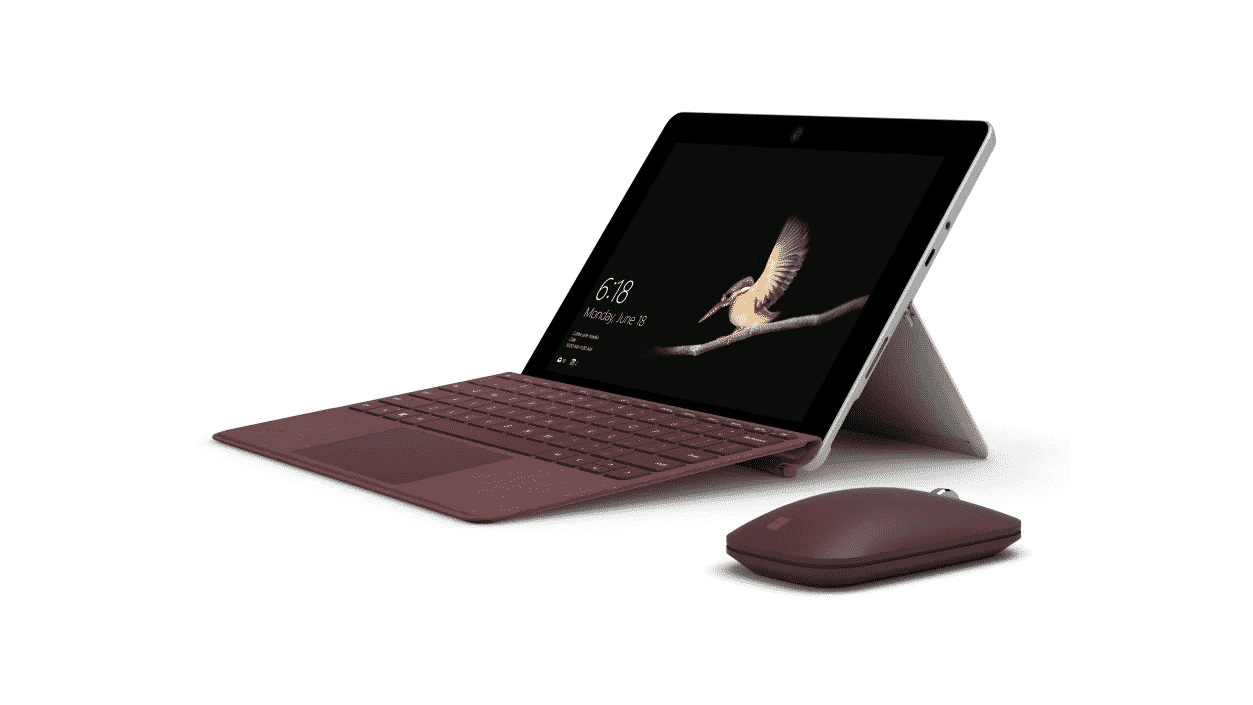
The Microsoft Surface Go is a small, compact hybrid laptop/tablet device with touchscreen capability. It's the smallest, lightest Surface device yet that is ideal for daily tasks. Designed as a turnkey "Microsoft business on-the-go" tool, it's great for people who need an easy-to-carry device that can be used almost anywhere—especially remote workers. It starts at just 1.15 pounds, has a 10″ touchscreen, and can hold up to 9 hours of battery life for local video playback!
As an added bonus, these tend to be the least expensive Microsoft Surface business devices. The Surface Go Home version equipped with Windows 10 Home starts at just $399, with special deals available for eligible students, parents, and teachers. The Surface Go for Business model equipped with Windows 10 Pro starts at $439, while the the Surface Go for Business with built-in LTE starts at $715.
The Microsoft Surface Go has the following connections:
1 x USB-C
3.5 mm headphone jack
1 x Surface Connect port
Surface Type Cover port
microSDXC card reader
Compatible with Surface Dial (sold separately) off-screen interaction
The Microsoft Surface Go comes equipped with the following cameras, audio, and video capabilities:
Windows Hello face authentication camera (front-facing)
5.0MP front-facing camera with 1080p Skype HD video
8.0MP rear-facing autofocus camera with 1080p HD video
Single microphone
2W stereo speakers with Dolby® Audio™ Premium
Check out more tech specs for the Microsoft Surface Go below!
Dimensions: 9.65″ x 6.90″ x 0.33″ (245 mm x 175 mm x 8.30 mm)
Weight: Wi-Fi: Starting at 1.15 lbs (522 g); LTE Advanced: Starting at 1.17 lbs (532g)
Storage: eMMC drive: 64GB, or Solid-state drive (SSD): 128GB SSD
Security: TPM 2.0 for enterprise security; Enterprise-grade protection with Windows Hello face sign-in
Memory: 4GB or 8GB RAM
Wireless: Wi-Fi: IEEE 802.11 a/b/g/n/ac compatible; Bluetooth Wireless 4.1 technology
Graphics: Intel® HD Graphics 615
Warranty: 1-year limited hardware warranty
What comes in the box: Surface Go; Power supply; Quick start guide; Safety and warranty documents
Microsoft Surface Pro
Microsoft Surface Pro is the premium hybrid laptop/tablet device from Microsoft. Surface Pro devices are larger and more powerful "Microsoft business on-the-go" tools for remote workers who need more processing power or prefer larger screens for graphic design work. It's an ultra-light and versatile device with tablet-to-laptop versatility, so you can change the way you're working depending on the task at hand or the environment you're in.
There are three versions of the Microsoft Surface Pro:
Microsoft Surface Pro 6
Microsoft Surface Pro 7 (with an option available to add built-in LTE)
Microsoft Surface Pro X (that already comes equipped with built-in LTE)
The Microsoft Surface Pro 6 has the following connections:
1 x full-size USB 3.0
3.5 mm headphone jack
Mini DisplayPort
1 x Surface Connect port
Surface Type Cover port
MicroSDXC card reader
Compatible with Surface Dial (sold separately)
The Microsoft Surface Pro 6 comes equipped with the following cameras, audio, and video capabilities:
Windows Hello face authentication camera (front-facing)
5.0MP front-facing camera with 1080p Skype HD video
8.0MP rear-facing autofocus camera with 1080p full HD video
Dual microphones
1.6W stereo speakers with Dolby® Audio™ Premium
The Microsoft Surface Pro 7 has the following connections:
1 x USB-C™
1 x USB-A
3.5 mm headphone jack
1 x Surface Connect port
Surface Type Cover port
MicroSDXC card reader
Compatible with Surface Dial off-screen interaction (sold separately)
The Microsoft Surface Pro 7 comes equipped with the following cameras, audio, and video capabilities:
Windows Hello face authentication camera (front-facing)
5.0MP front-facing camera with 1080p full HD video
8.0MP rear-facing autofocus camera with 1080p full HD video
Dual far-field Studio Mics
1.6W stereo speakers with Dolby® Audio™ Premium
The Microsoft Surface Pro X has the following connections:
2 x USB-C™
1 x Surface Connect port
Surface Keyboard connector port
1 x nano SIM
Compatible with Surface Dial off-screen interaction (sold separately)
The Microsoft Surface Pro X comes equipped with the following cameras, audio, and video capabilities:
Windows Hello face authentication camera (front-facing)
5.0MP front-facing camera with 1080p full HD video
10.0MP rear-facing autofocus camera with 1080p HD and 4k video
Dual far-field Studio Mics
2W stereo speakers with Dolby® Audio™ Premium
Wondering which of these Surface Pro devices may be best for you? Let's compare the tech specs of each!
Surface Pro 6
Dimensions: 11.5" x 7.9" x 0.33" (292 mm x 201 mm x 8.5 mm)
Security: Firmware TPM; Enterprise-grade protection with Windows Hello face sign-in
Memory: 8GB or 16GB LPDDR4x RAM at 3733Mbps
Wireless: Wi-Fi 5: 802.11ac compatible; Bluetooth Wireless 5.0 technology; Qualcomm® Snapdragon™ X24 LTE Modem; Up to Gigabit LTE Advanced Pro with nanoSIM and eSIM support. LTE Bands supported: 1, 2, 3, 4, 5, 7, 8, 12, 13, 14, 19, 20, 25, 26, 28, 29, 30, 38, 39, 40, 41, 46, 66; Assisted GPS and GLONASS support
Graphics: Microsoft® SQ1™ Adreno™ 685 GPU
Warranty: 1-year limited hardware warranty
Price: Surface Pro X starting at $999; Surface Pro X for Business starting at $1,399
What comes in the box: Surface Pro X; Power Supply; Quick Start Guide; Safety and warranty documents
Microsoft Surface Laptop
Surface laptops are high-end portable computing devices that have a variety of customizable features for RAM, system storage, processing power, and dedicated graphics processors to suit a multitude of business needs. The Surface laptop is ideal for employees who work primarily from the office, but may need to take their work home or abroad on a moment's notice.
There are two versions of the Microsoft Surface Laptop:
Microsoft Surface Laptop 2
Microsoft Surface Laptop 3 (the latest model of the Surface Laptop, available in a 13.5 or 15″ display)
The Microsoft Surface Laptop 2 has the following connections:
1 x full-size USB 3.0
3.5 mm headphone jack
Mini DisplayPort
1 x Surface Connect port
Compatible with Surface Dial off-screen interaction (sold separately)
The Microsoft Surface Laptop 2 comes equipped with the following cameras, audio, and video capabilities:
Windows Hello face authentication camera (front-facing)
720p HD camera (front-facing)
Stereo microphones
Omnisonic Speakers with Dolby® Audio™ Premium
The Microsoft Surface Laptop 3 has the following connections:
1 x USB-C™
1 x USB-A
3.5 mm headphone jack
1 x Surface Connect port
Compatible with Surface Dial off-screen interaction (sold separately)
The Microsoft Surface Laptop 3 comes equipped with the following cameras, audio, and video capabilities:
Windows Hello face authentication camera (front-facing)
720p HD f2.0 camera (front-facing)
Dual far-field Studio Mics
Omnisonic Speakers with Dolby® Audio™ Premium
Now, let's compare the tech specs of each Surface Laptop model below!
Surface Laptop 2
Dimensions: 12.13" x 8.79" x .57" (308.1 mm x 223.27 mm x 14.48 mm)
Price: Surface Laptop 2 starting at $999; Surface Laptop 2 for Business starting at $1,772
What comes in the box: Surface Laptop 2; Power Supply; Quick Start Guide; Safety and warranty documents
Surface Laptop 3
Dimensions: Surface Laptop 3 13.5": 12.1" x 8.8" x .57" (308 mm x 223 mm x 14.5 mm); Surface Laptop 3 15": 13.4" x 9.6" x .57" (339.5 mm x 244 mm x 14.69 mm)
Weight: Surface Laptop 3 13.5" in Sandstone and Matte Black: 2.84 lbs (1,288 g), in Cobalt Blue and Platinum: 2.79 lbs (1,265 g); Surface Laptop 3 15" in Platinum and Matte Black: 3.40 lbs (1,542 g)
Graphics: Surface Laptop 3 13.5": Intel® Iris™ Plus Graphics; Surface Laptop 3 15": AMD Radeon™ Vega 9 Graphics Microsoft Surface® Edition or AMD Radeon™ RX Vega 11 Graphics Microsoft Surface® Edition
Warranty: 1-year limited hardware warranty
Price: Surface Laptop 3 starting at $999; Surface Laptop 3 for Business starting at $1,099
What comes in the box: Surface Laptop 3; Power Supply; Quick Start Guide; Safety and warranty documents
Microsoft Surface Book 2
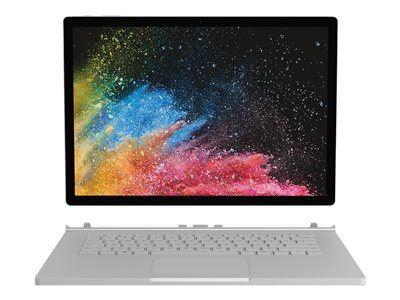
The Microsoft Surface Book 2 is a more powerful laptop computer with a stronger processor and dedicated graphics card—which can be upgraded to an NVIDIA® GeForce® GTX 1060 card—that is ideal for graphics or processor-intensive work, both in the office and on the go. It comes available in a 13.5 and 15″ option.
This device is often favored by employees in graphic design fields. It can be used as a laptop, or folded over to turn it into a large-scale tablet device and is available in 13.5" or 15" PixelSense Display.
The Microsoft Surface Book 2 comes equipped with the following connections:
2 x USB type-A (version 3.1 Gen 1)
1 x USB type-C (version 3.1 Gen 1 with USB Power Delivery revision 3.0)
3.5mm headphone jack
2 x Surface Connect ports
Full-size SDXC card reader
Compatible with Surface Dial on- and off-screen interaction (sold separately)
The Microsoft Surface Book 2 comes equipped with the following cameras, audio, and video capabilities:
Windows Hello face authentication camera (front-facing)
5.0MP front-facing camera with 1080p HD video
8.0MP rear-facing autofocus camera with 1080p HD video
Dual microphones
Front-facing stereo speakers with Dolby® Audio™ Premium
Support for Windows Sonic for Headphones
Check out more tech specs for the Microsoft Surface Book 2 below!
Surface Book 2 13.5″
Dimensions: i5: 12.3″ x 9.14″ x 0.51″-0.90″ (312 mm x 232 mm x 13 mm-23 mm); i7: 12.3″ x 9.14″ x 0.59″-0.90″ (312 mm x 232 mm x 15 mm-23 mm)
Weight: i5: 3.38 lbs (1,534 g) including keyboard; i7: 3.62 lbs (1,642 g) including keyboard
Storage: Solid state drive (SSD) options: 256GB, 512GB, or 1TB PCIe SSD
Processor: 7th Gen Intel® Core™ i5-7300U dual-core processor, 3.5GHz Max Turbo; 8th Gen Intel® Core™ i5-8350U quad-core processor, 3.6GHz Max Turbo; 8th Gen Intel® Core™ i7-8650U quad-core processor, 4.2GHz Max Turbo
Security: HW TPM 2.0 chip for enterprise security; Enterprise-grade protection with Windows Hello face sign-in
Memory: 8GB or 16GB RAM 1866Mhz LPDDR3
Wireless: Wi-Fi: IEEE 802.11 a/b/g/n/ac compatible; Bluetooth Wireless 4.1 technology
Graphics: Intel® HD Graphics 620 integrated GPU (on Intel® i5-7300U model); Intel® HD Graphics 620 integrated GPU (on Intel® i5-8350U model); NVIDIA® GeForce® GTX 1050 discrete GPU w/2GB GDDR5 graphics memory (on Intel® i7-8650U models)
Warranty: 1-year limited hardware warranty
What comes in the box: 44W (integrated GPU) or 102W (discrete GPU) Surface Power Supply w/USB-A (5W) charging port; Quick Start Guide; Safety and warranty documents
Surface Book 2 15″
Dimensions: 13.5″ x 9.87″ x 0.568-0.90″ (343 mm x 251 mm x 15 mm-23 mm)
Weight: i7: 4.20 lbs (1,905 g) including keyboard
Storage: Solid state drive (SSD) options: 256GB, 512GB, or 1TB PCIe SSD
What comes in the box: 102W Surface Power Supply w/USB-A (5W) charging port; Quick Start Guide; Safety and warranty documents
Microsoft Surface Studio 2
A powerful desktop device for the office, the Surface Studio 2 features a clean, modern design that looks simple—but provides extremely powerful processing features and lightning-quick load speeds thanks to its use of a solid-state drive (SSD) storage solution. A 28" PixelSense™ display with 10-point multi-touch provides extremely high-quality images and touch controls.
This device tends to be the most expensive personal-use device in the Microsoft Surface family. With Intel® Core™ i7-7820HQ processors, SSD storage for faster file handling, and more graphics memory, this device can support better gaming, mixed reality, and VR.
The Microsoft Surface Studio 2 comes equipped with the following connections:
4 x USB 3.0 (one high power port)
Full-size SD™ card reader (SDXC) compatible
1 x USB-C
3.5 mm headphone jack
Compatible with Surface Dial on-screen interaction (sold separately)
1 Gigabit Ethernet port
The Microsoft Surface Studio 2 comes equipped with the following cameras, audio, and video capabilities:
Windows Hello face authentication camera (front-facing)
5.0MP front-facing camera with 1080p HD video
Dual microphones
Stereo 2.1 speakers with Dolby® Audio™ Premium
Check out more tech specs for the Microsoft Surface Studio 2 below!
Dimensions: Display: 25.1" x 17.3" x 0.5" (637.35 mm x 438.90 mm x 12.50 mm); Base: 9.8" x 8.7" x 1.3" (250.00 mm x 220.00 mm x 32.20 mm)
Weight: 21 lbs max (9.56 kg max)
Storage: 1TB or 2TB solid-state drive (SSD)
Display: Screen: 28" PixelSense™; Display Resolution: 4500 x 3000 (192 PPI); Color settings: sRGB, DCI-P3, and Vivid Individually color-calibrated display; Aspect Ratio: 3:2; Touch: 10 point multi-touch; Supports Surface Pen with tilt activation, Surface Dial on-screen interaction, and Zero Gravity Hinge
Processor: Intel® Core™ i7-7820HQ
Security: TPM 2.0 chip for enterprise security; Enterprise-grade protection with Windows Hello face sign-in
Memory: 16GB or 32GB (DDR4)
Wireless: Wi-Fi: 802.11ac Wi-Fi wireless networking, IEEE 802.11 a/b/g/n compatible; Bluetooth Wireless 4.1 technology; Xbox Wireless built-in
What comes in the box: Surface Studio 2; Surface Pen; Surface Keyboard; Surface Mouse; Power cord with grip-release cable; Quick start guide; Safety and warranty guide
Microsoft Surface Hub 2S
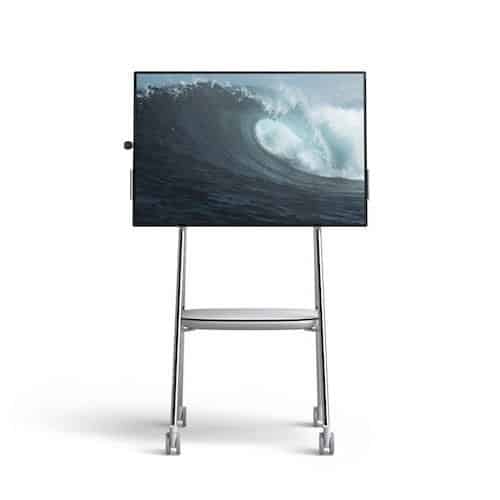
This Microsoft Surface Hub business tool is designed to help facilitate team collaboration and improve internal meetings by providing a best-in-class digital whiteboard for employees to use. The starting price for this device is $8,999.
Because the display shares the same 3:2 screen ratio used by all other Microsoft Surface devices, presentation materials created on one Surface device can be easily shared to the Hub without having to adjust its aspect ratio.
This is especially beneficial in businesses with remote work and Bring Your Own Device (BYOD) policies where employees within the organization are likely working on various devices. Its built-in camera, microphone array, and crystal-clear speakers (with subwoofer) help improve teleconferencing for the office as well.
Built to enhance your Surface Hub 2S experience, the Surface Hub 2 camera and pen are included in every box. With the Surface Hub 2 camera, remote meeting participants will feel like they're in the room through a crystal-clear 4K camera that captures the room and conference participants in a full field of view. The Surface Hub 2 pen brings the precise inking experience you love from Surface to the large screen.
The Microsoft Surface Hub 2S comes equipped with the following connections:
USB-A
Mini-DisplayPort Video Output
RJ45 Gigabit Ethernet
HDMI Video Input
USB-C™ with DisplayPort Input
(4) USB-C™
The Microsoft Surface Hub 2S comes equipped with the following software:
Windows 10
Microsoft Teams for Surface Hub
Skype for Business
Microsoft Whiteboard
Microsoft Office (Mobile)
Microsoft Power BI
The Microsoft Surface Hub 2S comes equipped with the following audio and video capabilities:
What comes in the box: (1) Surface Hub 2S; (1) Surface Hub 2 Pen; (1) Surface Hub 2 Camera; 3m AC Power Cable; Quick Start Guide
Which of these Microsoft Surface business tools is the best fit for your team?
Now that you know the in-and-outs of each Surface device, how do you pick one? Well, the answer depends on your needs. To help you choose the right Microsoft Surface device for your team's needs, here are a few things that you should keep in mind.
1. Price of Microsoft Surface Devices
Price is always a factor for businesses when choosing business productivity and collaboration tools. In this category, the Microsoft Surface Go is the clear winner. This Microsoft business on-the-go tool has the lowest overall cost—with an unmodified Surface Go having a price tag around $399 dollars—plus a little extra for a keyboard/cover and a mouse.
This does come at a performance cost compared to most of the rest of the Microsoft Surface devices, but it is still more than powerful enough to run Microsoft Office and Teams software. This, combined with the portability of the device, makes it ideal for companies that need to outfit large teams of remote workers who only need basic Office software.
Adding LTE network capabilities to the device further enhances its suitability for equipping remote workers. In fact, Microsoft Surface with LTE allows employees to access online collaboration tools from anywhere they could get a cellphone signal.
2. Computing Power Needs for Individual Employees
In terms of raw processing power and graphics capabilities, the Microsoft Surface Studio is far and away the best choice for an individual user. However, it's capabilities may be overkill for any employee who isn't in a dedicated graphic design, video editing, or similar role that requires a very powerful graphics and data processing setup.
The Microsoft Surface Book 2 is a similarly-powerful device for (at base) roughly half the cost of a Studio desktop. In fact, it is often preferred for graphic design team members who work both in the office and remotely.
For team members who mostly need to use Microsoft Office or Teams on a regular basis, any one of the Surface family of devices is suitable. This is because all of them are designed around the use of Windows 10 and Microsoft's suite of business productivity and collaboration software.
3. Enterprise Mobility Management
If your enterprise heavily leverages remote work setups, this will most likely affect your choice of Microsoft Surface devices. Here, the top two choices are the Microsoft Surface Pro and Surface Go mobile devices. These "Microsoft pro mobile" options provide extremely high portability and enough computing power to handle most Office software computing tasks.
Additionally, both the Microsoft Surface Pro and Surface Go have optional LTE network capabilities to further enhance their mobility. Using Microsoft Surface with LTE allows employees to connect to their business collaboration software (such as Microsoft Teams) from virtually anywhere they can get a cell signal by connecting to LTE network towers. This has the added benefit of improving the security of remote connections because it circumvents the use of easily-compromised public Wi-Fi networks.
4. Team Collaboration Needs
One of the biggest reasons to use Microsoft Surface devices is that they're heavily-optimized for improving collaboration in a business. Each device has a 3:2 aspect ratio to ensure that shared images and other files have a consistent appearance from one device to the next. Each device is also designed around the use of Microsoft Office and Teams for enabling live collaboration on PowerPoint, Excel, and Word files in real time.
However, for internal office collaboration, the Surface Hub is an indispensable tool. The Surface Hub makes it easy to create and share presentations on a large, easy-to-view screen. Additionally, the suite of microphones and speakers in the Surface Hub can enhance teleconferences—helping to bring employees who are miles away "into the room" virtually so they can share their insights with as few obstacles as possible.
Which Microsoft Surface Device is the Overall Best?
Again, the Microsoft Surface business tools that you choose should be aligned with the needs of your team as a whole and the requirements of each individual team member. However, bestproducts.com put together a solid summary of which Surface devices are best for specific situations. Here's a paraphrasing of their list:
The Most Budget-Friendly Buy. Microsoft Surface Go.
The Best Splurge. Microsoft Surface Book 2.
The Most Versatile. Microsoft Surface Laptop 2.
The Most Elegant User Experience. Microsoft Surface Laptop 3.
Best for Desktop Use. Microsoft Surface Studio 2.
Best LTE Option. Surface Pro X.
Best Overall. Microsoft Surface Pro 7.
Need help choosing the best Microsoft Surface business tools for your own organization's needs? Schedule an introduction with Protected Trust today! We'd be happy to help you figure out which Surface device is right for you and getting you set up with implementation and support!